November 19, 2026
A lot of time was spent getting JMRI and MR SLAM FORMATTER files coordinated on multiple computers with DROPBOX. Even though the files get uploaded to DROPBOX, formatting changes have to be made at each computer.
I switched from Manifest Creator to MR SLAM because no Excel files were needed. It was also much easier to use and make the changes I needed.
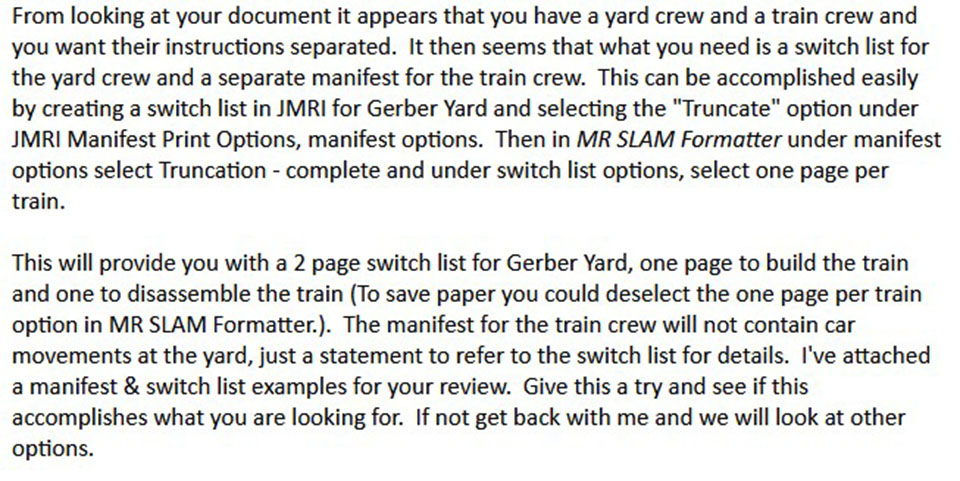
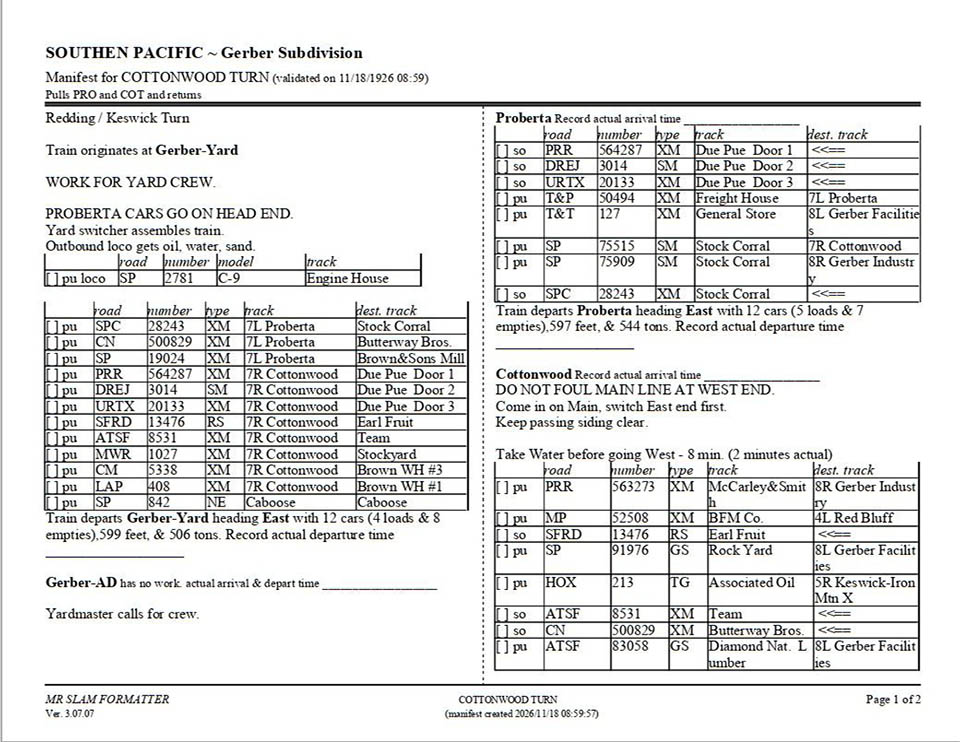
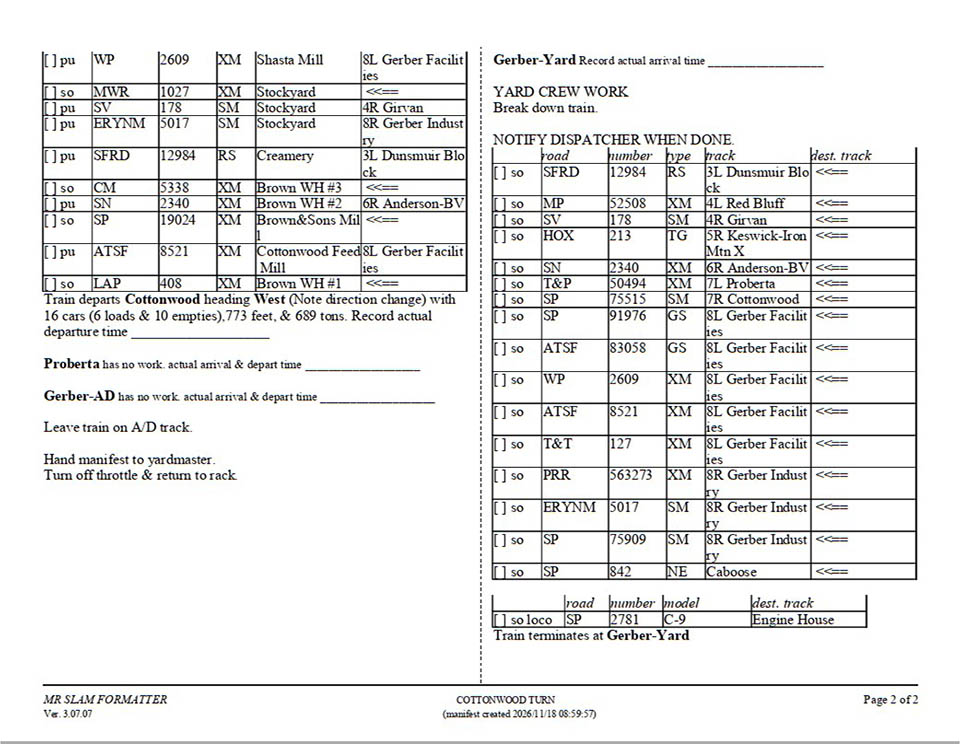
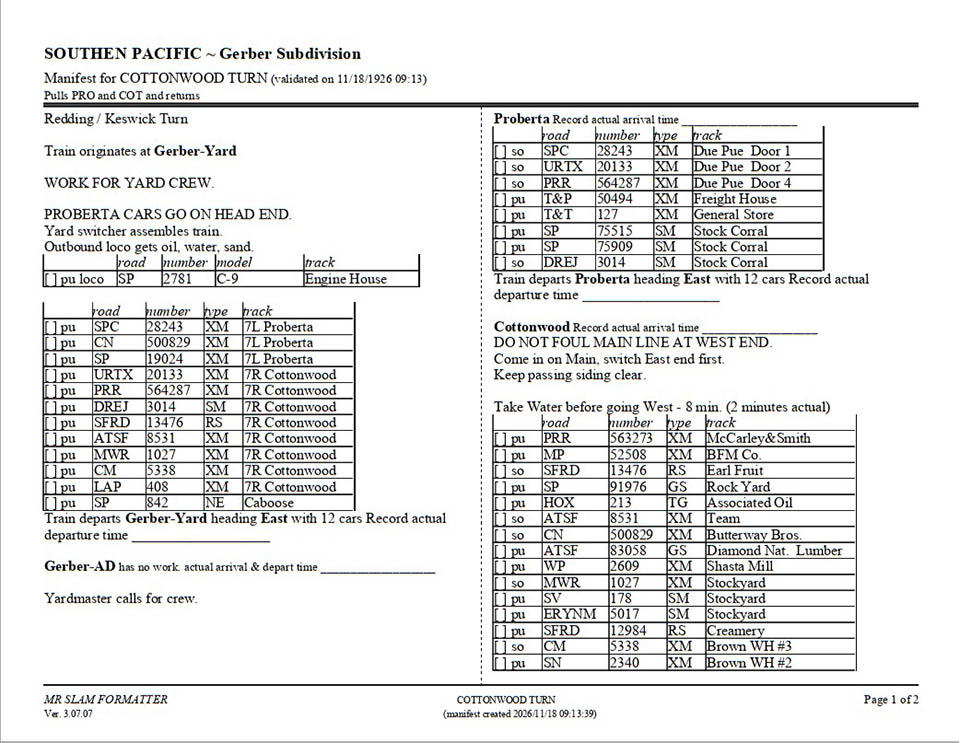
One thing needed was to print Yard Crew Manifests on a separate page from the Road Crew. The Yardmaster picks up the clip board for the next train, does the yard work, and then calls for a crew (or eventually lets a dispatcher know train is ready once I implement dispatching.) Same clipboard is passed to Road Crew. For turns, when crew returns, clipboard is handed over to Yardmaster. Tim Mann (MR SLAM programmer) explained how to do this and text is included with images below.
My crew requested larger print size so upped from 10pt to 12pt. Some found the future destination for cars to be unnecessary, so it was deleted as shown in images. This allowed more info on each page because overflow info now had room to print.
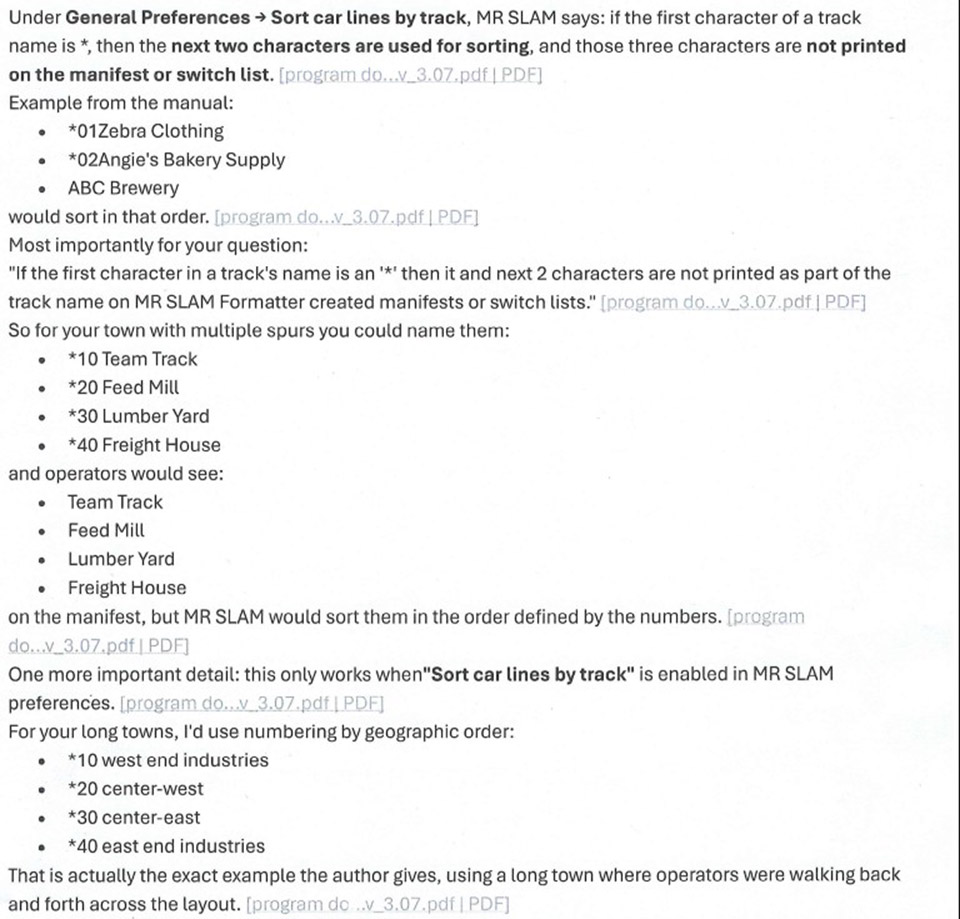
Most towns are over 20′ in length. I read somewhere in MR SLAM documentation for version 3.07 that this could be done but then couldn’t find the reference again. CHAT AI came to the rescue, searched the instruction document and found the answer that is included in the images below.
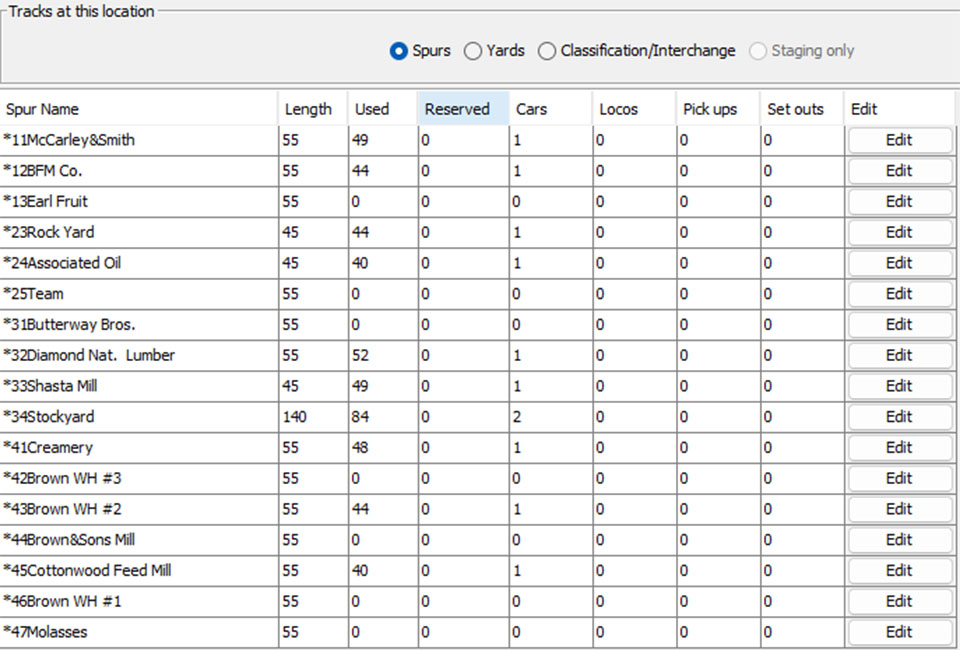
I went to each town with a list of industries in alphabetical order printed out from JMRI. I imagined how I would go about switching. Then assigned *#s to each location in JMRI that would group each town location together on the manifest. This should help crews switch one part of a town rather than running back and forth.